Inside the studio.
Each part of Monochord as it is in the alpha today: what it does, and the screen where you do it. Every picture is the studio itself.
Draw
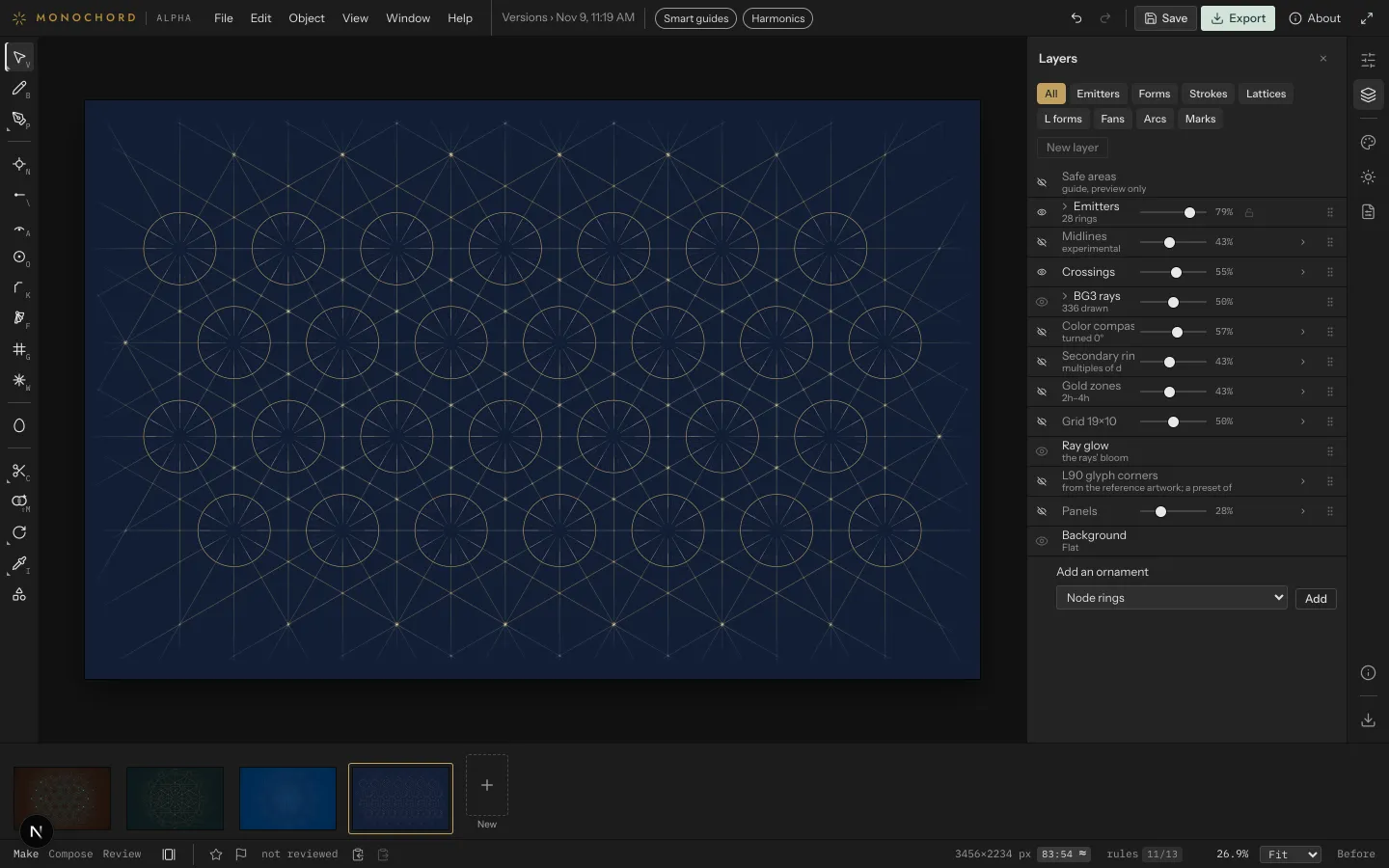
Draw the field from its centers.
Place emitters, each a center with its ring and its angle set, and the studio draws their rays and finds the exact links between them. Nine more gestures add the rest: a stroke, a pencil line, a pen path, an arc, a ring, an L, a fan, a lattice and a mandala.
- Every center stays empty. Nothing is drawn through it.
- Anything started on a center is bound to it and moves with it.
- The Pencil draws by hand, smoothed into a clean curve; the Pen draws exact paths anchor by anchor, and Direct Selection moves each anchor and handle.
- The Mandala tool repeats what you draw in one wedge all the way round a center.
- Every size is in Modular units, the canvas's own measure: its short side divided by 99.
- Layers gives each part of the field its own switch and strength: rays, links, gold zones, the grid, crossings.
Elements
Bring in forms, read as you place them.
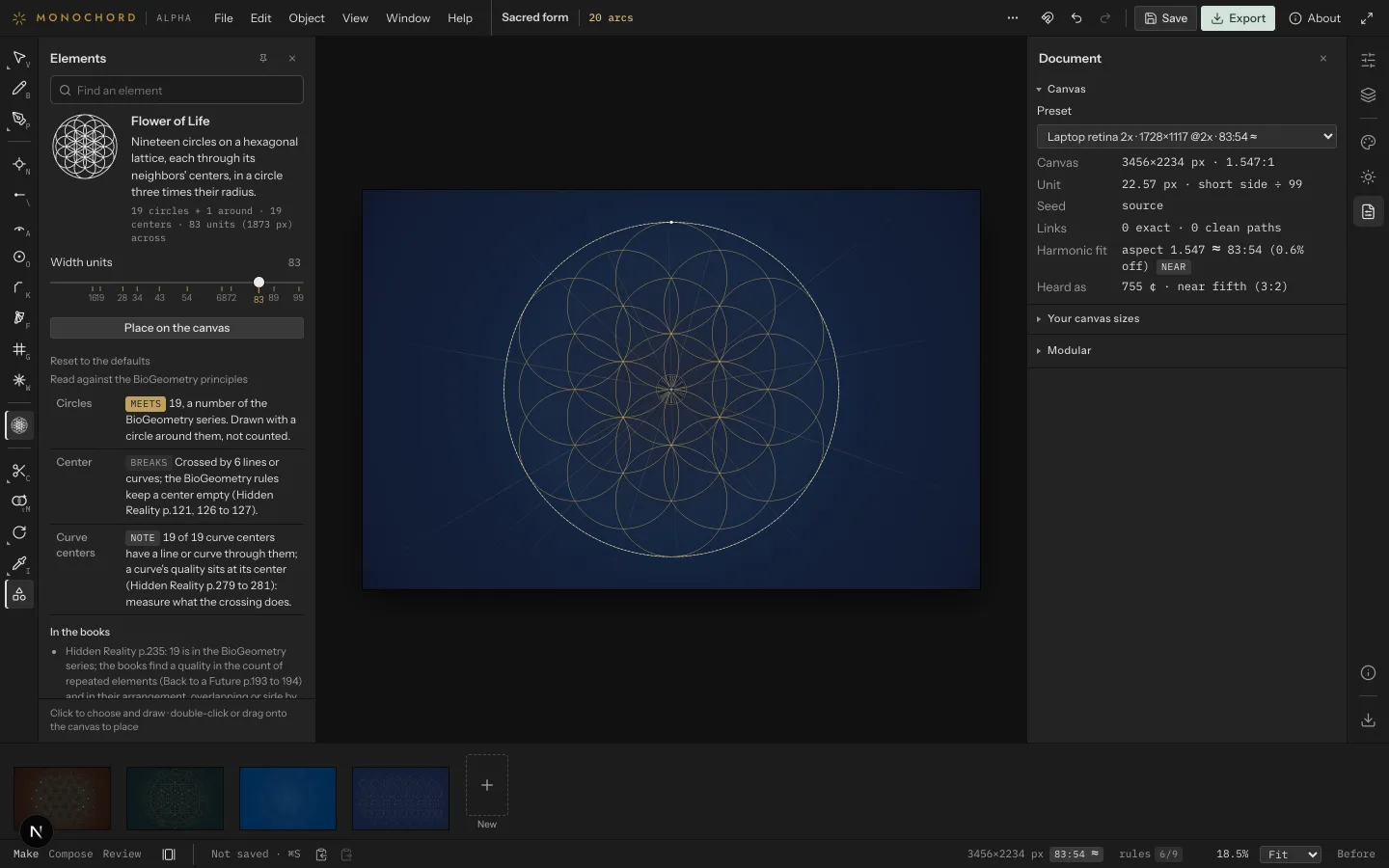
The Elements drawer holds what comes into a drawing ready-made, as pictures: the forms of the planes, from the egg down to the circle, plain shapes, and the classical forms of sacred geometry.
- Sacred geometry: the vesica piscis, the Seed, Flower and Fruit of Life, Metatron's Cube, the hexagram, the eight-, twelve- and sixteen-point stars, the golden spiral.
- Each form is read against the principles: its count, what crosses its center, and what BioGeometry says of it.
- Click to draw one, Place to put it at the center, or drag it onto the canvas.
Compose
Let the studio propose. You choose.
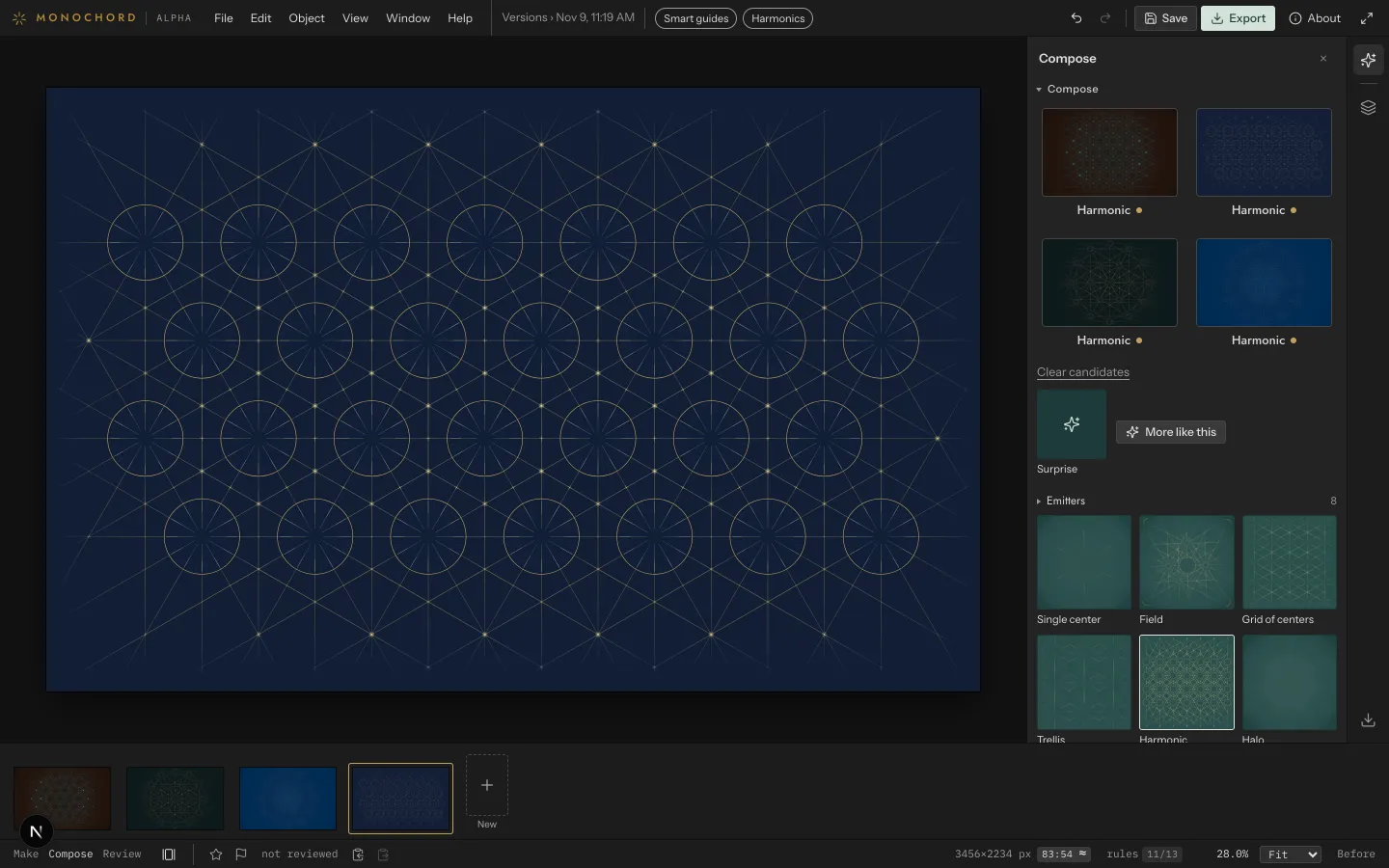
Pick a recipe by its picture and Compose draws candidates from it. Point at one to see it on the canvas, tap or click it to take it, and ask for more like it.
- Recipes are grouped by what they compose: emitters, lattices, waves, Ls, fans, strokes, arcs, forms.
- Harmonic lays the centers by the series: a grid, a brick, a ring, or a hero with satellites on its gold zones.
- What you lock stays as it is. Compose works around it.
Principles
See which principles hold, as you draw.
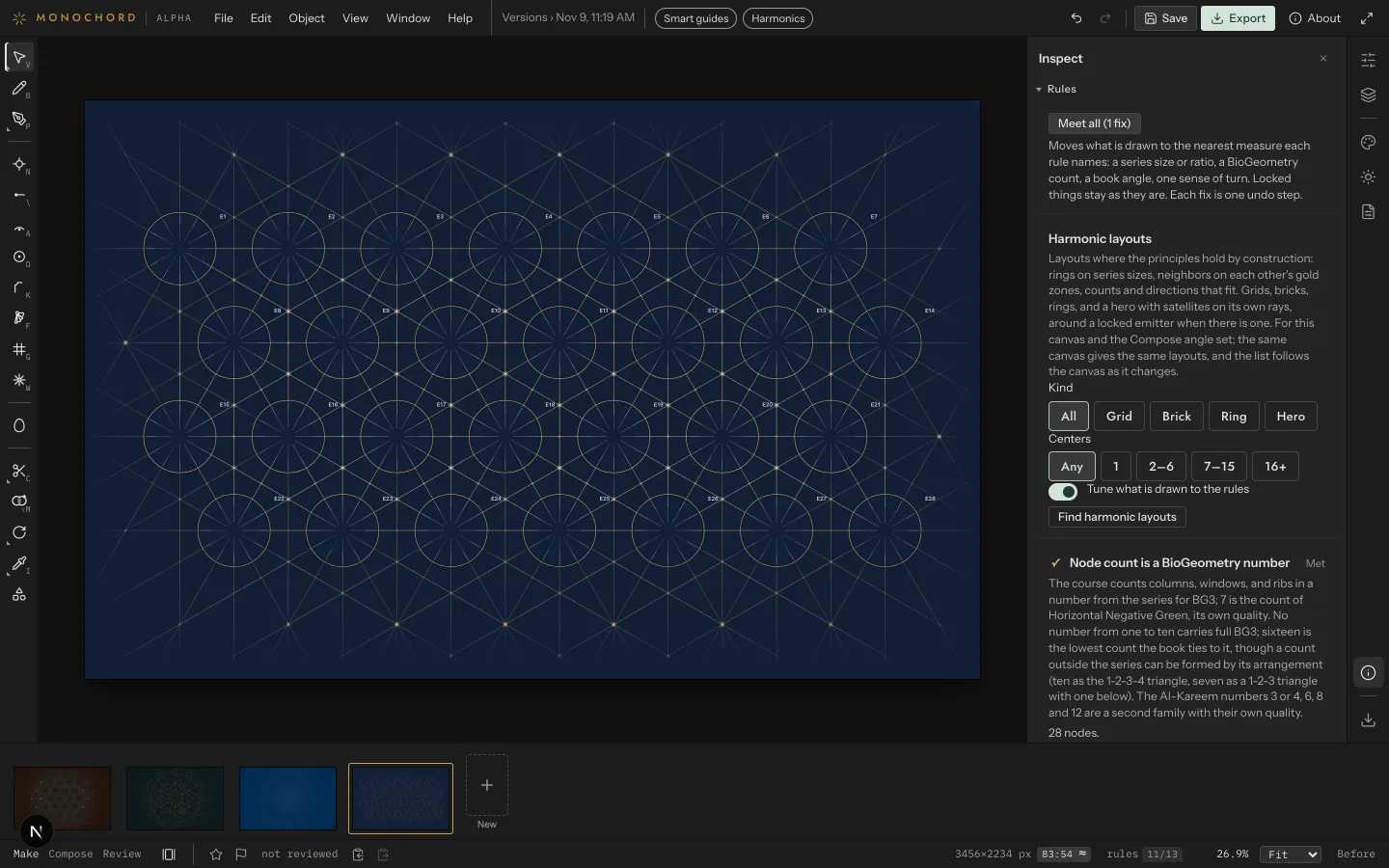
The rules read the drawing against BioGeometry's numbers and angles while you work. Each reads Met, Not met or Open, and one that is not met says what would meet it.
- Where a rule has an exact fix, one click moves what is drawn to the nearest measure the rule names. Meet all applies them in turn.
- Find harmonic layouts builds fields where the principles hold by construction, and tunes what you have drawn to them.
- Open stays open until a practitioner measures it. The studio never decides that for you.
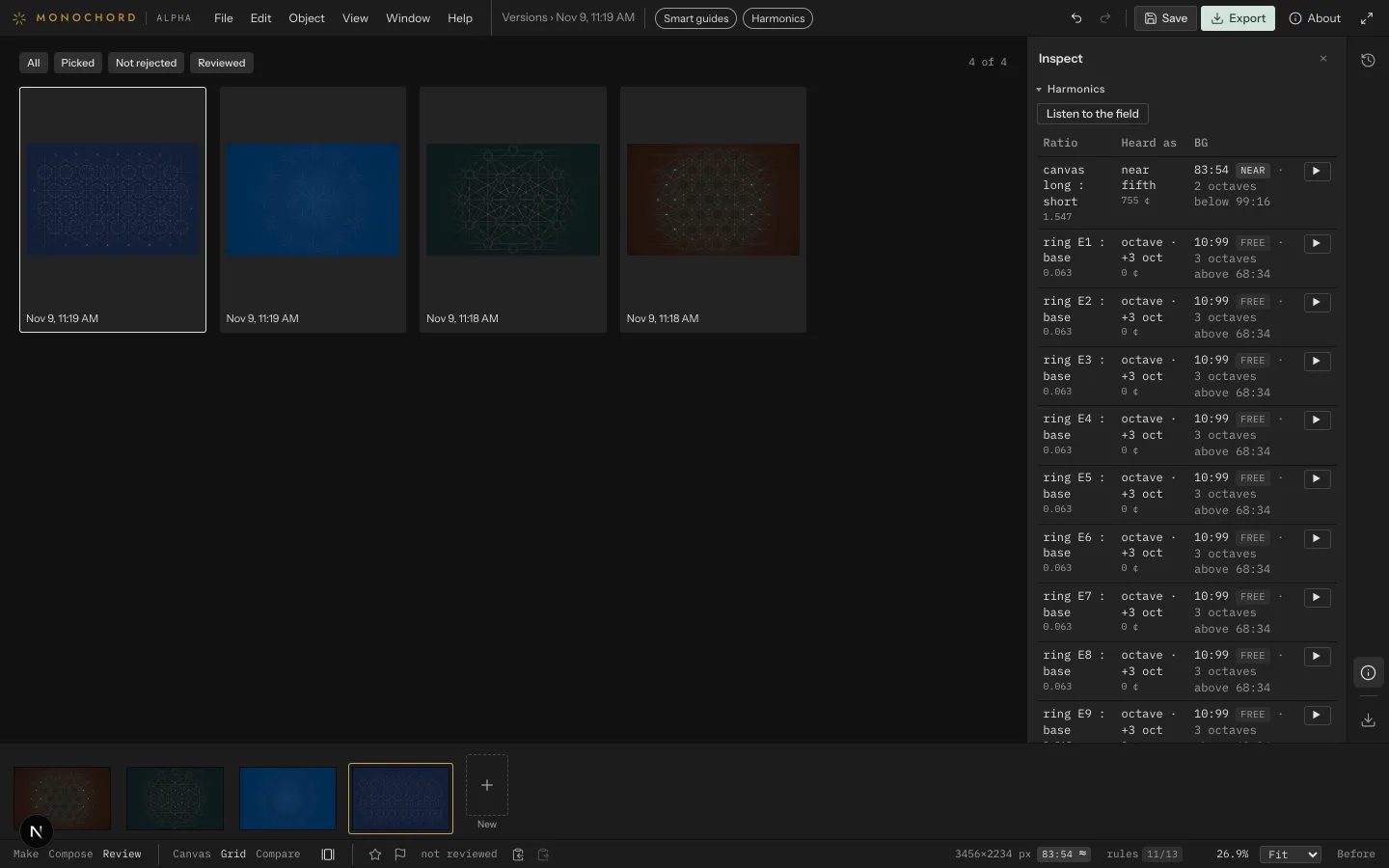
Harmonics
Hear the proportions.
Every proportion in a drawing is one length against another, and each can be heard. The studio shows each ratio as two lengths of one string, with its tone, and plays it on a monochord.
- The canvas, and each ring against the base, with its cents and its nearest interval.
- One button plays them all together, over one open string.
- Hans Kayser's Lambdoma as a table to hear, and a stroke divided at any ratio by drawing.
A second reading beside the BioGeometry one, after Kayser's Akróasis. It never counts toward a rule.
Color & finish
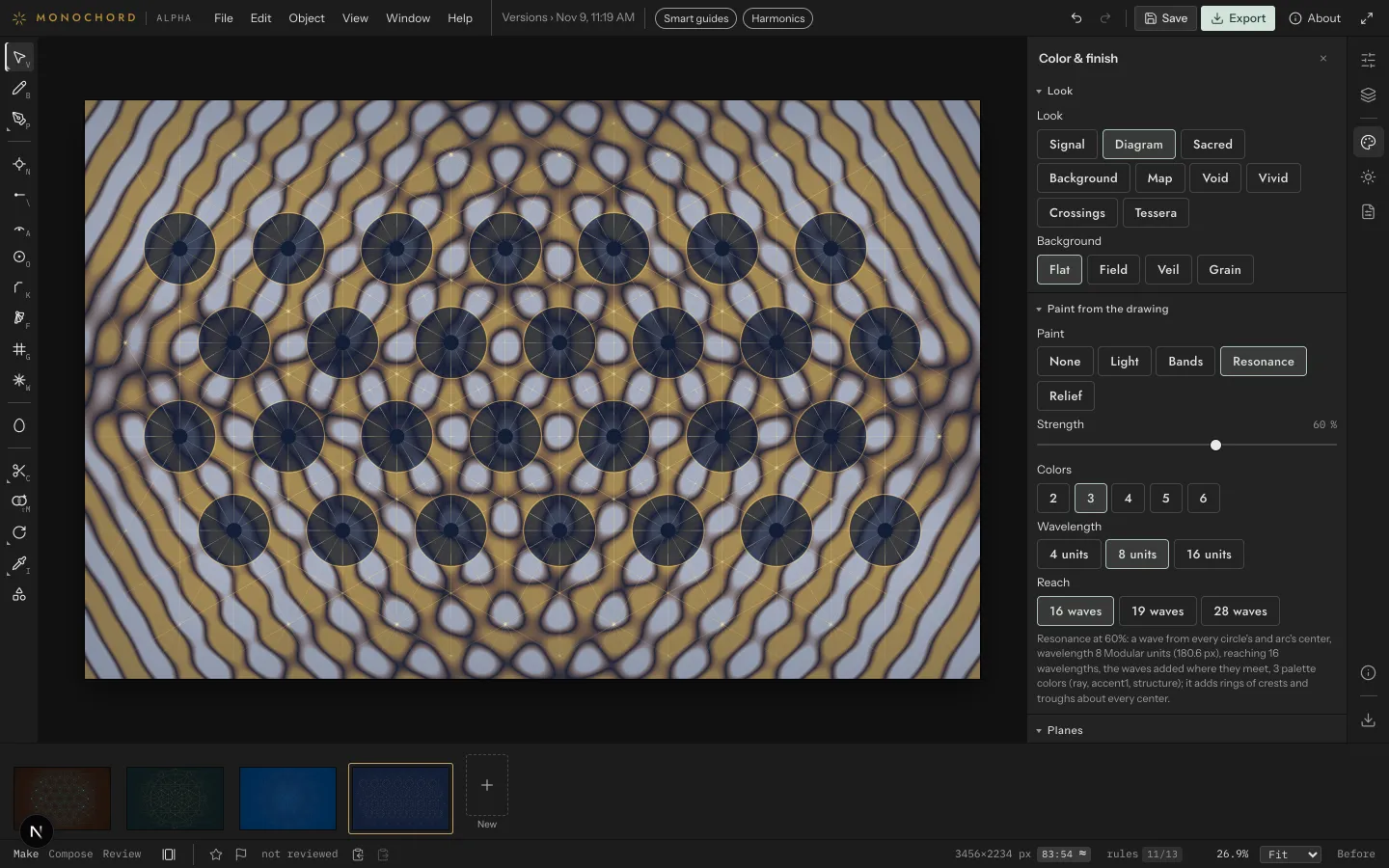
Finish it in color and light.
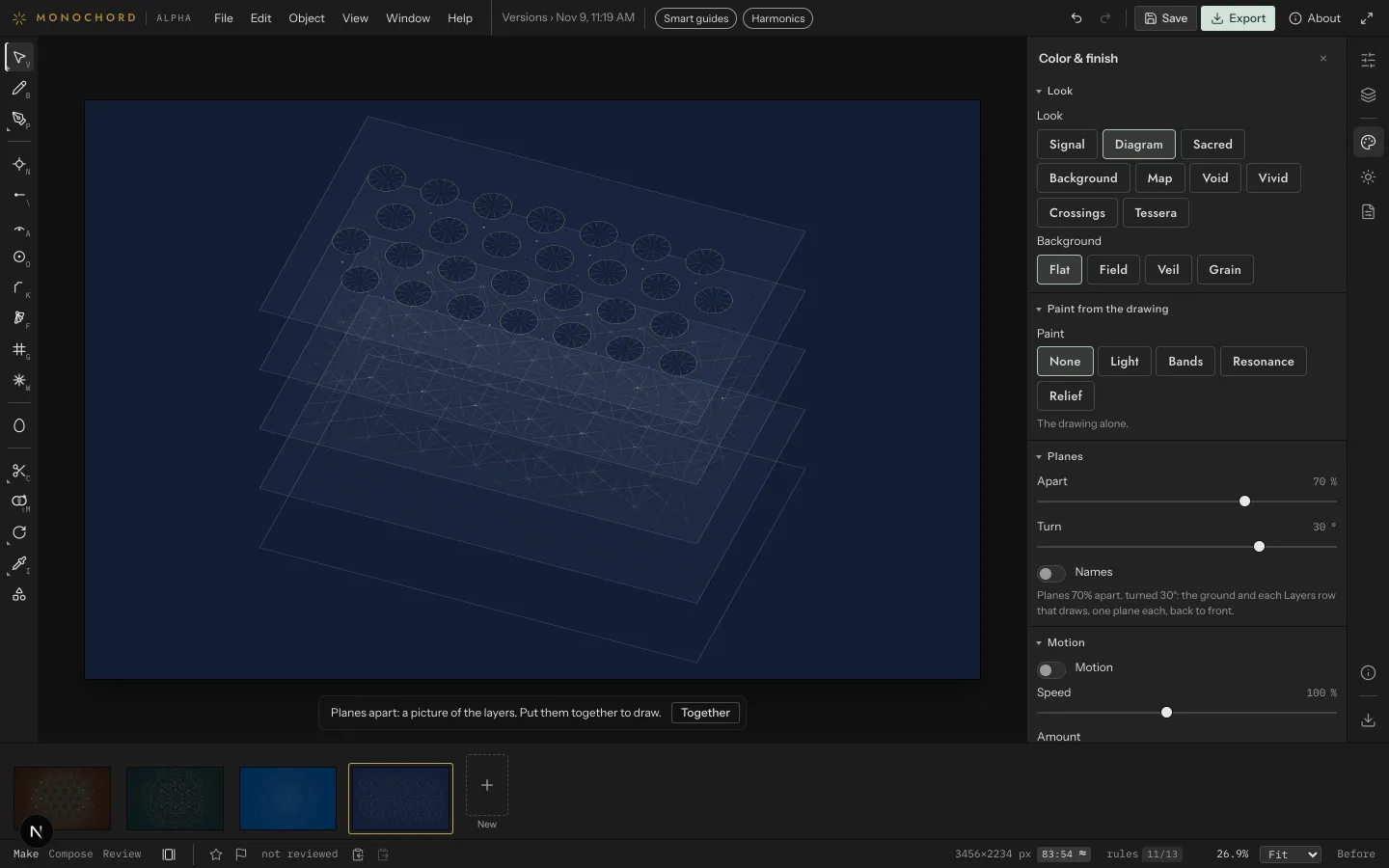
Choose a look and a theme, among them the BG3 colors. Paint from the drawing lays light, bands, interference or relief on the ground under the drawing; the drawing itself never changes.
- Interference spreads a wave from every circle's center and draws where the waves meet.
- Exploded takes the drawing apart into its layers, as an architect's exploded drawing does.
- Paint and Exploded are saved with the version, and export as you see them.
Color carries quality in BioGeometry: take a reading with the paint and without it.
Review
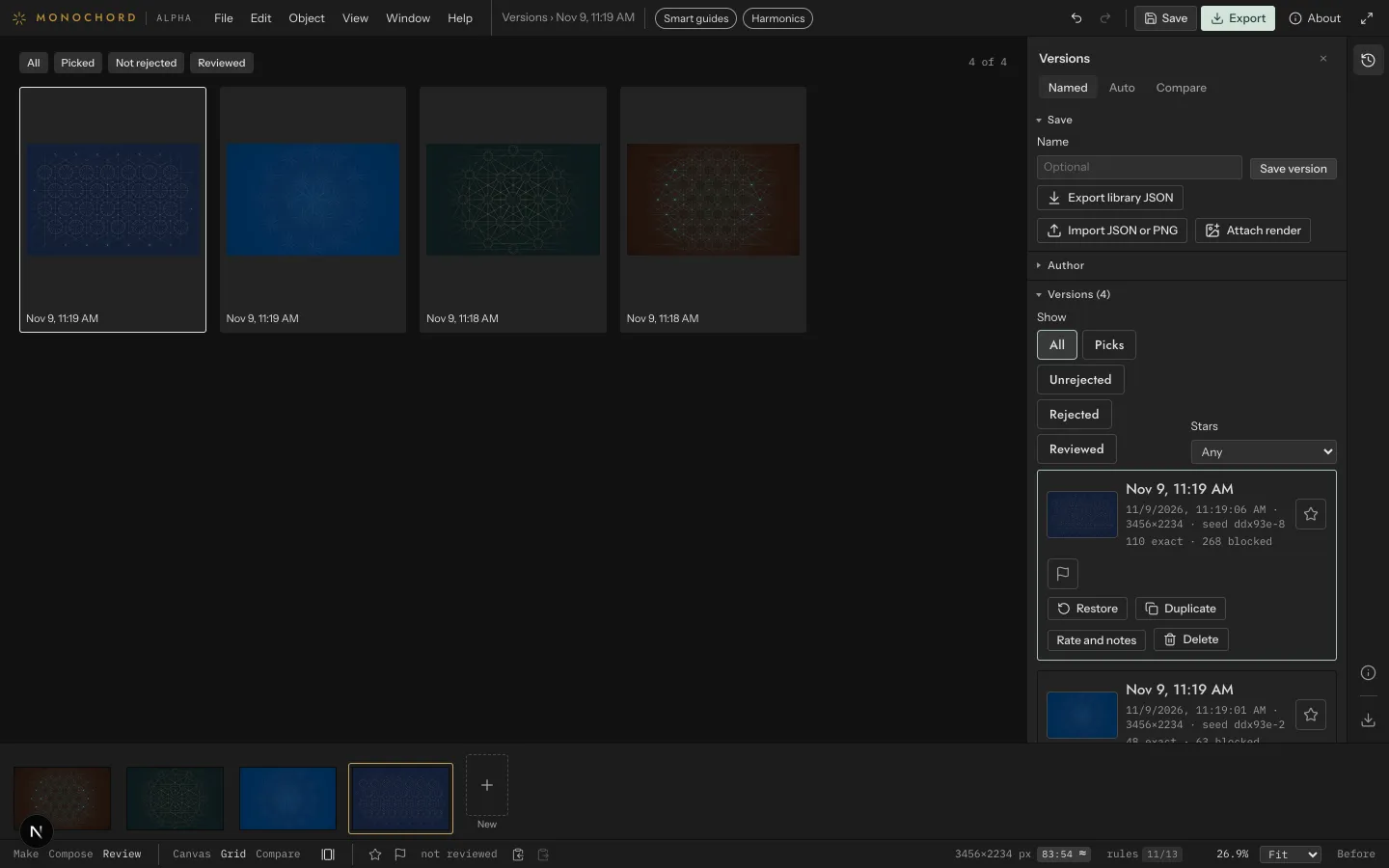
Review every version. Keep its record.
Save a version as often as you like and review them side by side: pick the keepers, reject the rest, compare two, and note what you observed when you measured each.
- Each version keeps its record: who made it, the seed and every setting, the geometry, and what reviewers observed.
- The calculation log gives the studio's account of the picture, line by line.
- The library stays in your browser, on your computer, until you export it.
Export
Take it to any screen, or into a room.
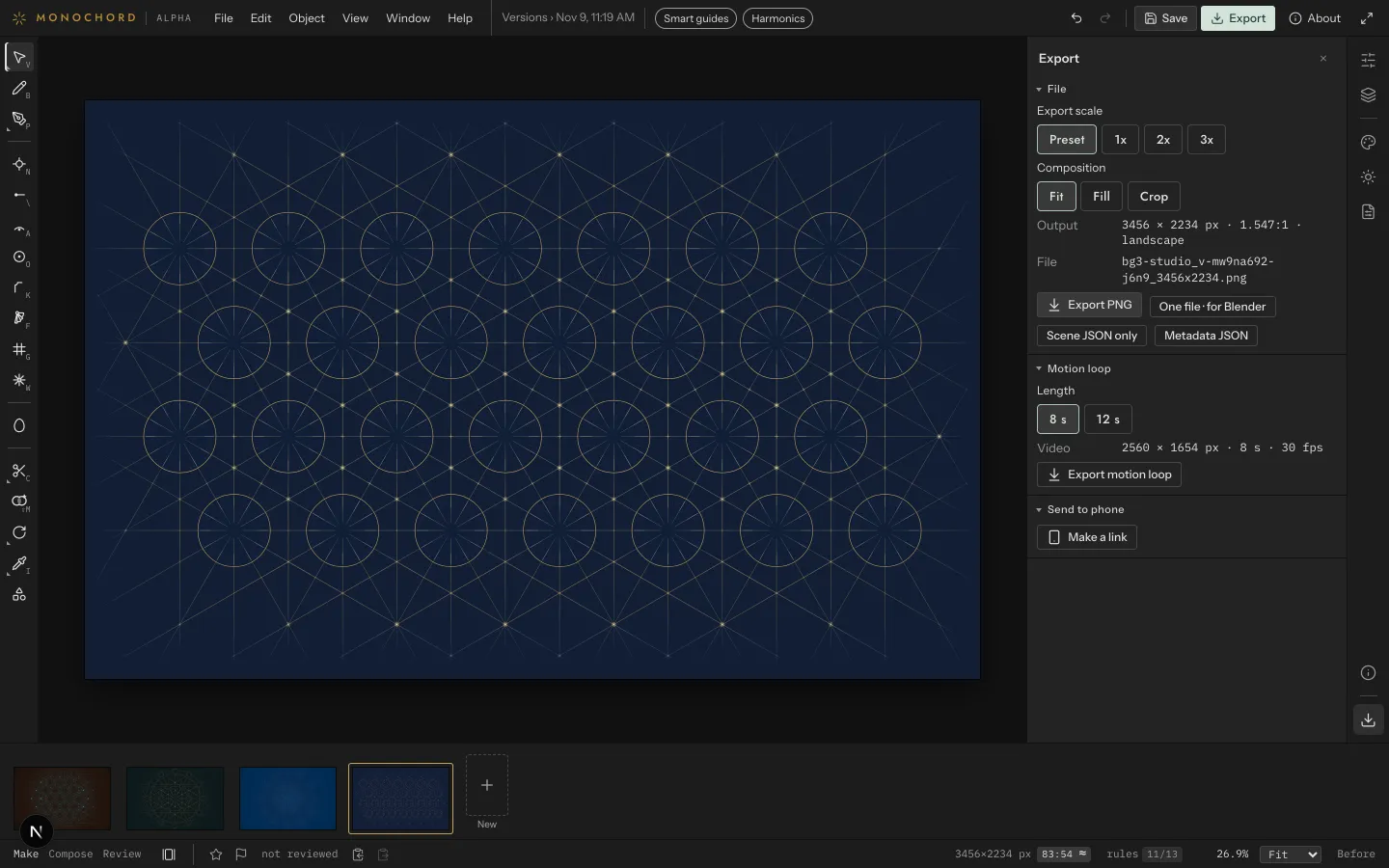
Export at the exact pixels of the screen it is for: a phone, a tablet, a laptop, a 4K or ultrawide display, or a size of your own. The record goes inside the PNG.
- Send to a phone with a link or a QR code; the wallpaper rides in the link and saves to Photos.
- One file for Blender carries the picture and its scene, resolved to meters, with the picture laid on the ground.
- The record also exports on its own, and the whole library as one file.
What the studio records, and what you judge.
- It works with BG3-oriented angle geometry and keeps the angle constraints of its sources.
- It records each version's geometry and settings, who made it, and what practitioners observed when they reviewed it.
- You test each version with your own tools. The studio does not measure or certify a BG3 level.
- Observed BG3 levels may vary by version, author, design choices and review context.
Monochord is an invite-only alpha: it changes between visits, and the record format may change too. Nothing here is medical diagnosis, treatment or health advice.
Take it into your own hands.
Invites go out in small groups. One email from Monochord when yours is ready, and nothing before.